
Every Plaud recording,on your Mac,as text.
My Plaud is a menu bar app. It keeps the audio of every recording in your Plaud account in a folder you own, transcribes it and tells the speakers apart. A language model can clean the transcript, name the recording and write a summary.
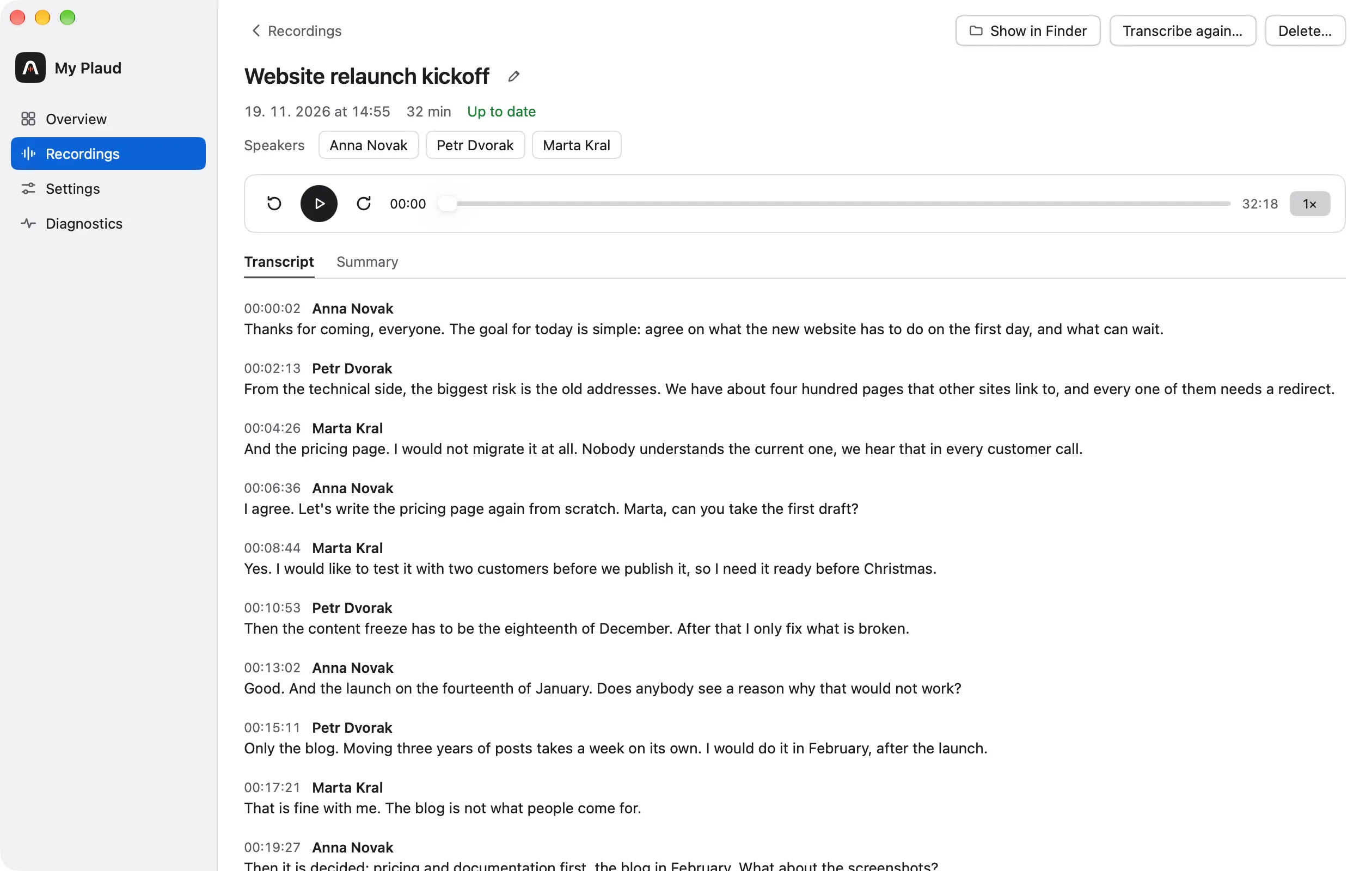
It keeps a copy of everything
Every 15 minutes, at launch and when the Mac wakes, the app downloads what is new. Each recording gets its own folder, named by date and time, with the original audio in it.
Nothing is ever changed in the Plaud cloud, and nothing in the archive is deleted for good. A recording removed in Plaud stays, and Delete moves a folder to the macOS Trash.
~/Plaud/2026/11/2026-11-19_1455 Website relaunch kickoff/
You choose what transcribes it
Use a hosted engine with your own key, or Whisper on the Mac itself. The transcript is a plain Markdown file next to the audio.
| Engine | You need | Tells speakers apart | Where the audio goes |
|---|---|---|---|
| ElevenLabs Scribe | An API key | Yes, and it recognises the voices in your speaker library | To ElevenLabs |
| OpenAI | An API key | With its diarising model | To OpenAI |
| OpenRouter | An API key | Depends on the model | To OpenRouter and the provider that serves the model |
| Whisper on this Mac | A 1.7 GB download | Yes, in each recording | Nowhere. It stays on the Mac |
It knows who is speaking
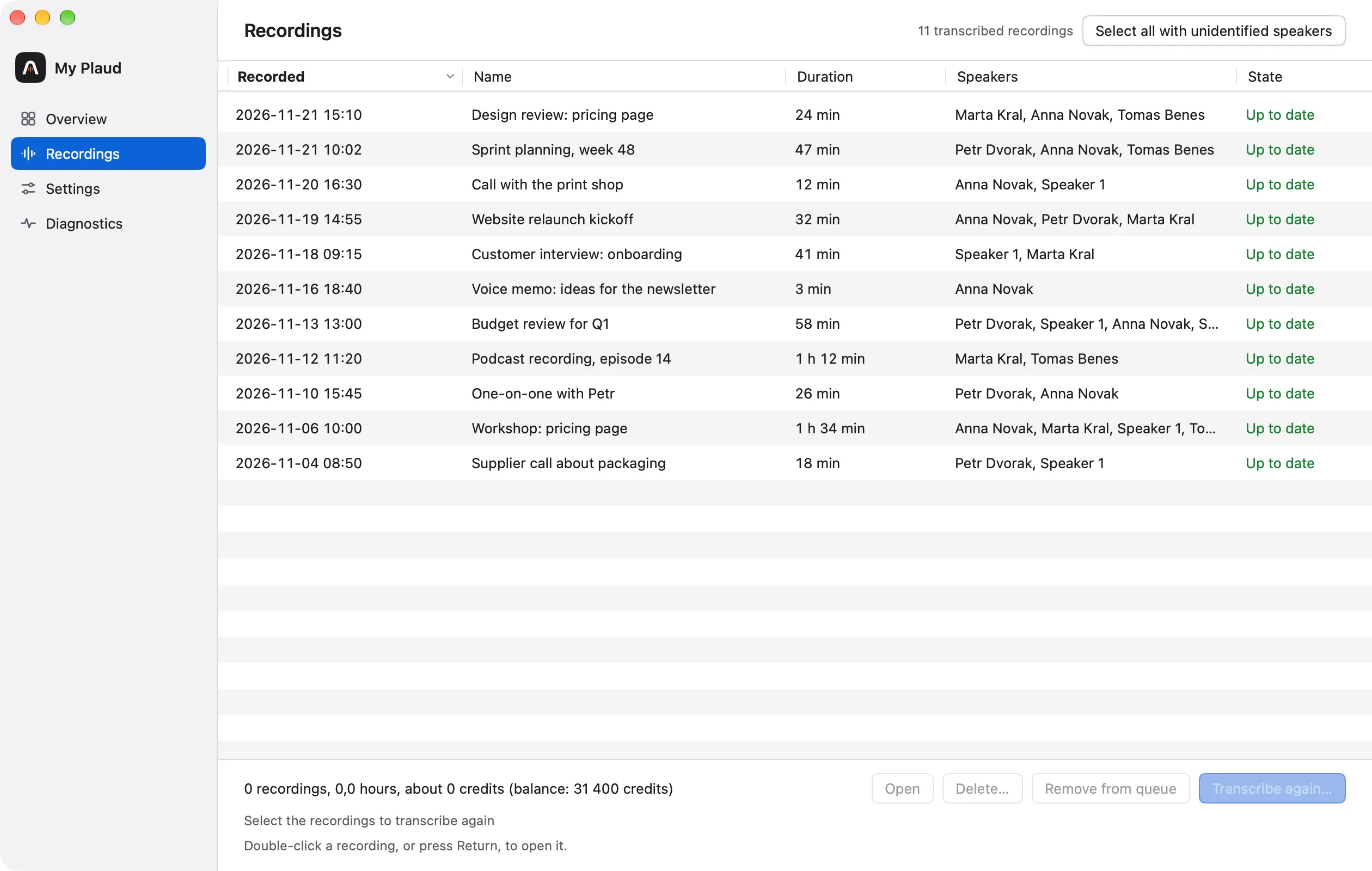
Name a speaker once and the name appears in the transcript, in the list and in the summary. With ElevenLabs, the app cuts a voice sample of every unknown speaker, so later recordings recognise them by themselves.
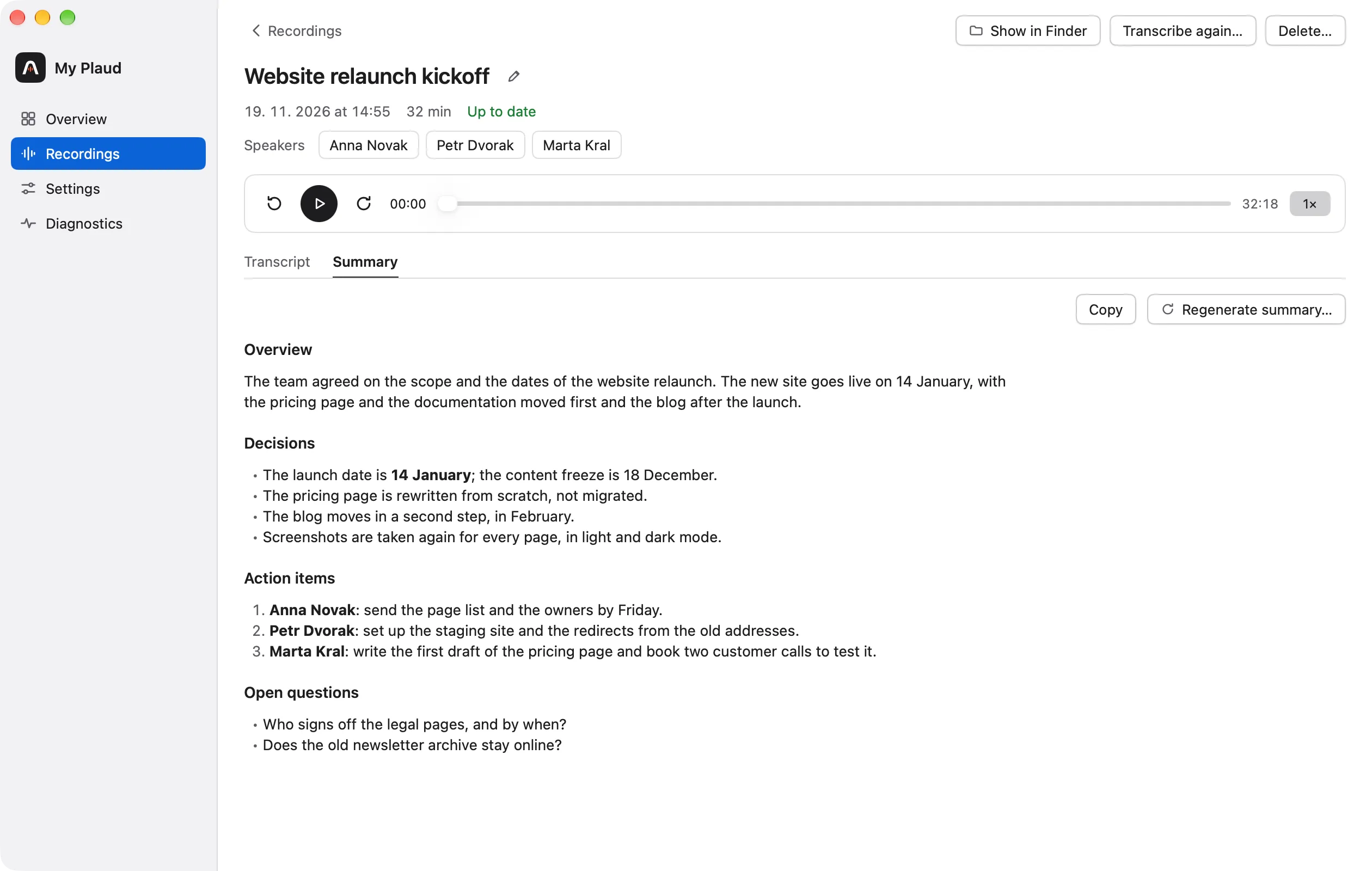
A model cleans it up, names it and sums it up
This step is optional. A language model fixes punctuation and mis-heard words, removes filler, gives the recording a short name and writes a summary. Speaker names and times never pass through the model, and the original transcript is kept.
Use a model from Anthropic, OpenAI or OpenRouter, or a model server on your Mac such as LM Studio, where the text never leaves the machine.
It records on the Mac too
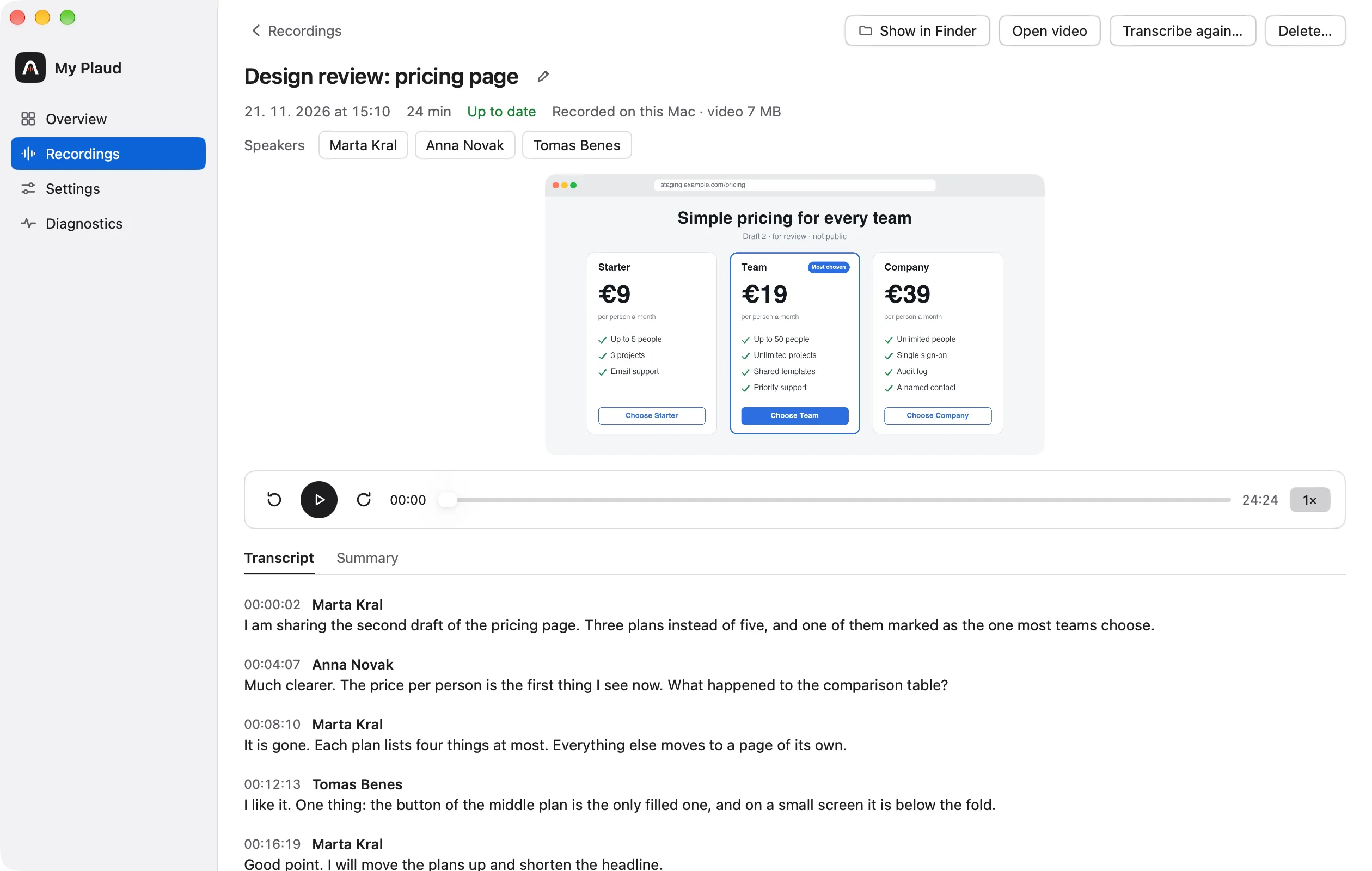
Start recording in the menu records the microphone and everything the Mac plays, so both sides of a call in any app end up in one file, with or without headphones.
Add a video of the screen or of one window. The recording lands in the same archive and is transcribed, named and summarised like one from Plaud.
Your recordings stay yours
With Whisper on this Mac and a local model, the only network contacts are the downloads from Plaud and the one-time download of the speech model. The archive is ordinary files that any other program can read.
Read exactly what is sentGet My Plaud
Open the disk image, drag the app to Applications and log in to Plaud. The first sync downloads every recording.